

Accounting and tax, running on autopilot
Bank feeds, invoicing, reconciliation and tax-ready reporting, all synchronized in real time with the rest of your business. E&P Solutions configures and supports it, so your books close themselves instead of taking over your week.
No more chasing spreadsheets between departments
Change an order in sales, receive stock in the warehouse, or issue a purchase order, and your accounting updates automatically, in real time. There is no export, no re-entry and no end-of-month scramble to reconcile three different systems that were never talking to each other.
What manual bookkeeping actually costs you
Most businesses don't set out to spend a full day a month on data entry. It happens gradually, one manual export at a time, until closing the books becomes a small crisis every single month.
Everything your finance team touches, in one place
Eight areas where automation removes the busywork, from the first invoice to the closed books.
Save time on every device
Your books travel with you, and so does the automation.
- ✓Native mobile apps. Photograph receipts, approve invoices and check reports, on iOS and Android.
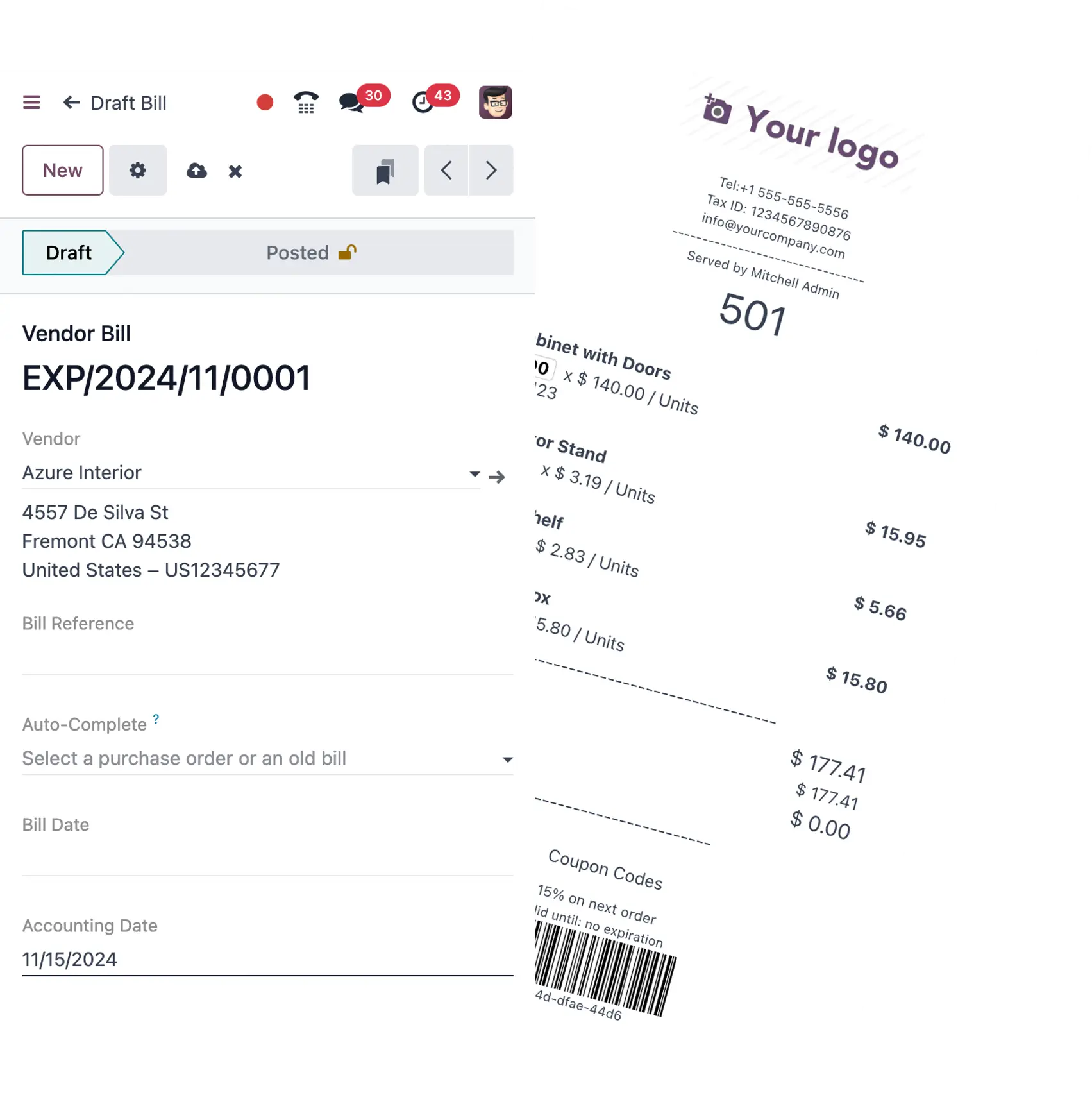
- ✓AI invoice digitization. Upload a scan or a photo and it is read and coded automatically.
- ✓Multiple companies. Every subsidiary runs in one database, with consolidated reporting across all of them.
Receivables & payables, under control
Every invoice out, every bill in, tracked without the spreadsheet.
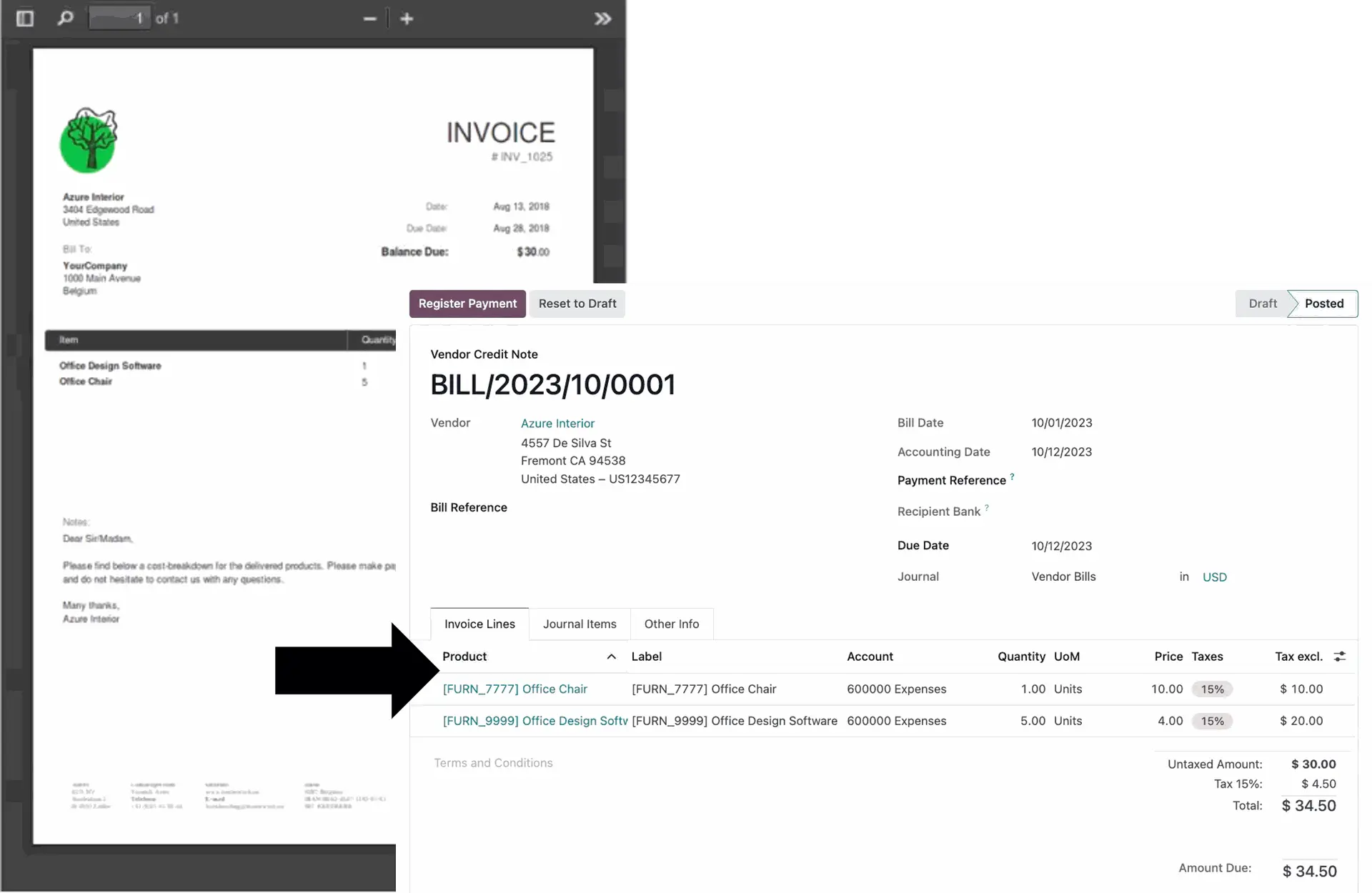
- ✓On-brand invoice templates. Colors, fonts and layout that match your business.
- ✓Credit notes in one click. Generated directly from an existing invoice.
- ✓Automated draft invoices. Built from sales orders, subscriptions, timesheets or deliveries, no manual entry.
- ✓Credit limit control. Automatic warnings before a customer goes over their limit.
Get paid faster
Make it effortless for customers to pay you, and follow up automatically when they don't.
- ✓Customer self-service portal. View, download and pay invoices, track orders and sign documents online.
- ✓Every major payment gateway. Stripe, PayPal, Adyen and more, built in.
- ✓Automated follow-ups. Overdue invoices chased by email, letter or task, on a set schedule.
- ✓QR-code payments. Customers pay straight from their banking app.
- ✓SEPA direct debit. Automated recurring collection with digital mandates.
Pay bills efficiently
Outgoing payments, prepared for you instead of typed one by one.
- ✓SEPA file from Odoo. Odoo creates the transfer file, you upload it in your online banking and release it.
- ✓Batch payments. Group multiple payments into one run, which simplifies reconciliation later.
Bank & cash, automated
Your accounts, current, without anyone collecting statements by hand.
- ✓Bank connection. Where your bank supports it, transactions sync automatically. We confirm this for your bank before we promise it.
- ✓All common formats. CAMT.053, CSV, OFX and QIF, so switching banks is never a blocker.
Smart, self-learning reconciliation
The tedious part of bookkeeping, mostly done for you.
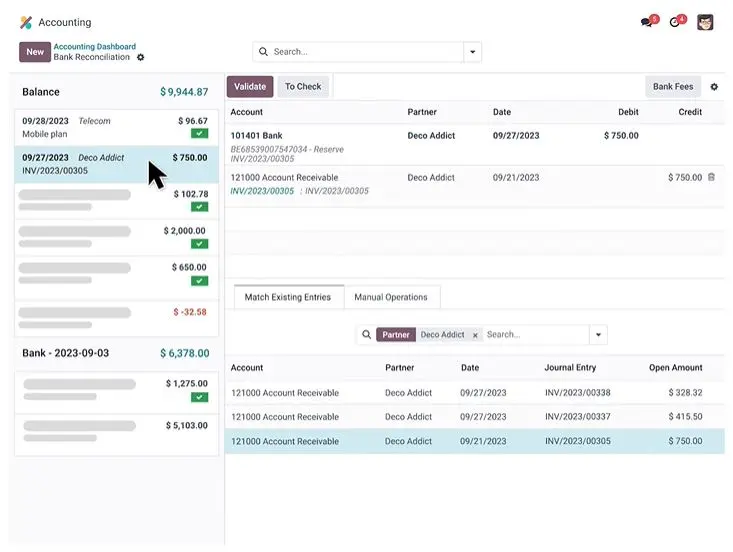
- ✓Automatic matching. Most payments are matched to the right invoice without anyone touching them.
- ✓Learns as you go. The tool remembers your corrections and gets more accurate over time.
- ✓Clear view of the rest. A dedicated screen for the exceptions, so matching them still goes quickly.
Analytic accounting & cost control
Know exactly what every project, contract or department actually costs.
- ✓Cost centers assigned automatically. Based on rules you set up once, then applied automatically from there.
- ✓Multiple views side by side. Evaluate by project, department or cost center in parallel.
- ✓Budget vs. actual. The comparison runs continuously, not just at month-end.
Income & expenses, always current
Multi-year contracts and recurring costs, tracked without a spreadsheet on the side.
- ✓Assets & depreciation. Depreciation schedules run automatically once set up.
- ✓Accruals. Entries can be spread across periods and corrected in bulk.
- ✓Recurring items in view. Multi-year contracts stay visible instead of buried in email.
From a photo on your phone to a posted entry
This is the part clients notice first: the pile of receipts and PDFs that used to eat an afternoon a week now files itself.
Automated bank sync
No manual statement uploads. Where your bank supports it, transactions sync automatically, every day.
AI-powered document capture
Upload a scan or a photo. It is read, coded and ready to check, not retyped.
Mobile receipt capture
Photograph a receipt on the spot. The data is extracted and filed before you are back at your desk.
Odoo across your business. BMD for the books.
Many Austrian companies want to run their operations in Odoo while financial accounting stays in BMD, in-house or with their Steuerberater. That is exactly what our export interface is built for.
Sales invoices, credit notes, purchase invoices and the related posting and partner data are prepared from Odoo and provided in a format ready for further processing in BMD. Instead of entering data twice, building spreadsheets or handing over documents one by one, you get a traceable flow between your operating system and your accounting.
Exactly the data that is needed
The export can be limited to a date range, to new records, or to documents not yet exported. Invoice lines can be summarized. Recurring exports can run automatically on request, so the data is ready under the rules you set, without anyone compiling it by hand each time.
Process first, interface second
An interface alone does not make a good workflow. We first clarify how the posting data is created in Odoo, what your accounting needs, which chart of accounts and numbering logic applies, and which steps are worth automating. Only then do we build the technical piece around that.
Who this is for
- ✓Companies running Odoo as their ERP with accounting in BMD
- ✓Companies with external bookkeeping or tax advice
- ✓Organizations that no longer want to transfer posting data by hand
- ✓Companies with multiple entities or regular exports
What gets transferred
- Account and offsetting account
- Invoice and document number
- Posting date
- Amount, currency and tax
- Payment terms and due date
- Cash discount
- Customer and vendor records
- Name and address
- VAT ID
- Email address
- Linked PDF documents
BMD is a registered trademark of BMD Systemhaus GesmbH. There is no partnership or business relationship between E&P Solutions IT GmbH and BMD Systemhaus. The name is used solely to state that our export interface is compatible with it.
Built for how Austrian and EU businesses actually file
Automation only helps if the configuration underneath it is correct. This is the part we take full ownership of.
Compliance built in
Austrian chart of accounts, VAT rates and e-invoicing requirements configured correctly from day one.
Migrated without drama
Opening balances, historical data and existing customizations moved across safely, with a rehearsal first.
Your tax advisor stays in the loop
If your Steuerberater works with BMD, they do not have to switch. Our export interface gives them the data in the form they need.
Support that answers
Help from people who already know your chart of accounts, not a ticket queue.
What runs on autopilot, and what still needs a person
Automation should earn trust, not overreach. Here's the honest split between what the system handles alone and what still deserves a second pair of eyes.
| Task | Handled automatically | Still needs your review |
|---|---|---|
| Bank transaction matching | Yes, most matched automatically | Unusual or one-off transactions |
| Recurring invoices & bills | Yes, generated on schedule | New contract terms or pricing changes |
| Standard VAT coding | Yes, applied by default rules | Cross-border or edge-case transactions |
| Depreciation & accruals | Yes, scheduled automatically | Asset disposals or write-offs |
| Month-end close | Mostly, drafts prepared automatically | Final sign-off with your tax advisor |
See what automated accounting is worth to you
Run your own numbers through our free Value Calculator: time saved, software replaced, and estimated payback in months.
Open the Calculator →Accounting & tax questions we hear on almost every call
Let's put your books on autopilot
Book a free, no-obligation assessment. We will look at how your accounting runs today and show you exactly where automation pays for itself.